
Download Notebook BatteryInfo – battery status, notebook battery monitor, real-time battery tracking, battery health monitoring, laptop battery diagnostics
Overview
Designed for users seeking reliable insight into their notebook’s power system, Notebook BatteryInfo delivers a focused solution to one of the most persistent challenges in mobile computing: uncertainty about battery life. The application provides real-time monitoring and detailed diagnostics for laptop batteries, enabling users to make informed decisions about usage, charging habits, and potential hardware issues. Its core purpose is to transform vague battery indicators into precise, actionable data, reducing the risk of unexpected shutdowns during critical tasks.
Targeted primarily at professionals, students, and remote workers who rely on their notebooks throughout the day, Notebook BatteryInfo supports effective battery management in high-demand environments. Whether working in a coffee shop, on a train, or in a meeting room, users benefit from clear visibility into battery capacity, temperature, and health. The app functions as a diagnostic utility that enhances the built-in system tools, offering deeper insight without requiring advanced technical knowledge.
Although the developer, Notebook BatteryInfo, did not provide additional background or organizational details, the app’s longevity since its release on July 27, 2006, suggests a stable, well-maintained tool. Its continued relevance highlights its utility in the productivity ecosystem, where battery efficiency directly impacts workflow continuity. By addressing a fundamental aspect of device performance, Notebook BatteryInfo fills a niche for users who prioritize reliability and control over their notebook’s power source.
Key Features & Functionality
- Detailed Battery Information: The app displays comprehensive battery data, including current capacity, charge level, serial number, and temperature. This granular insight helps users assess battery degradation over time and detect anomalies that may signal aging or malfunction.
- Real-Time Monitoring: With continuous updates, Notebook BatteryInfo provides live tracking of battery consumption and remaining charge. This enables users to adjust their workload or seek power sources proactively, minimizing disruptions.
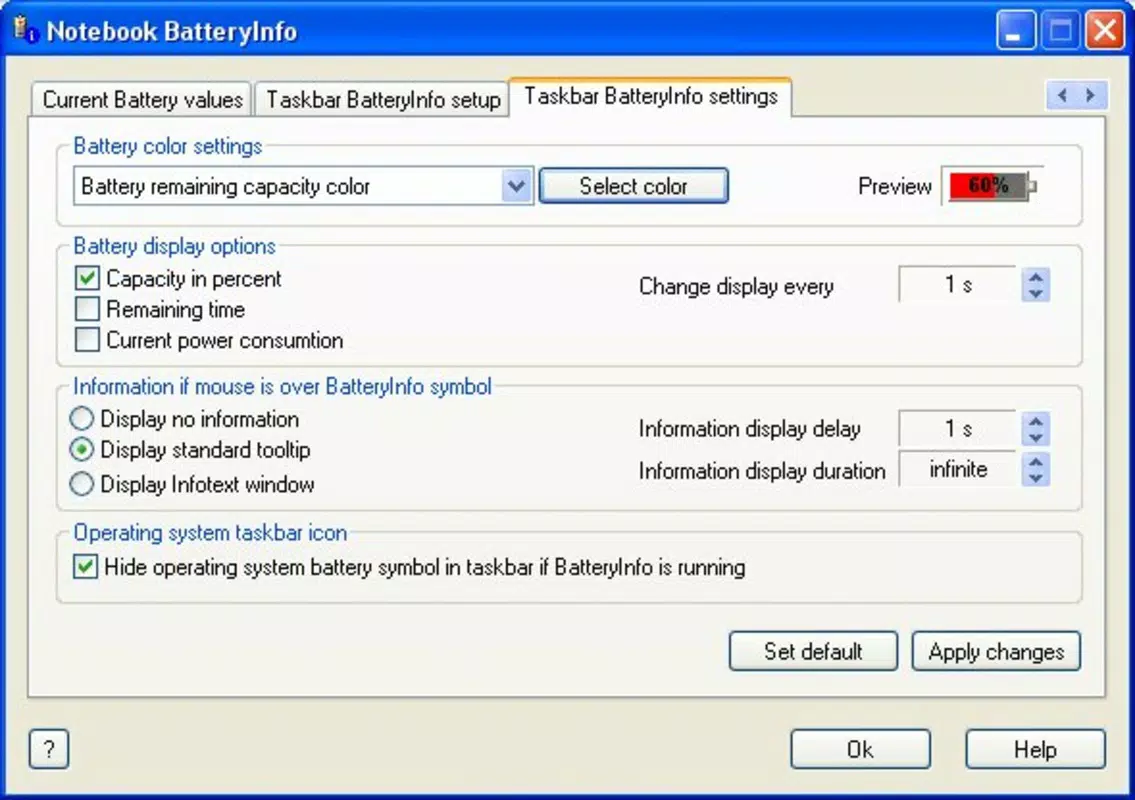
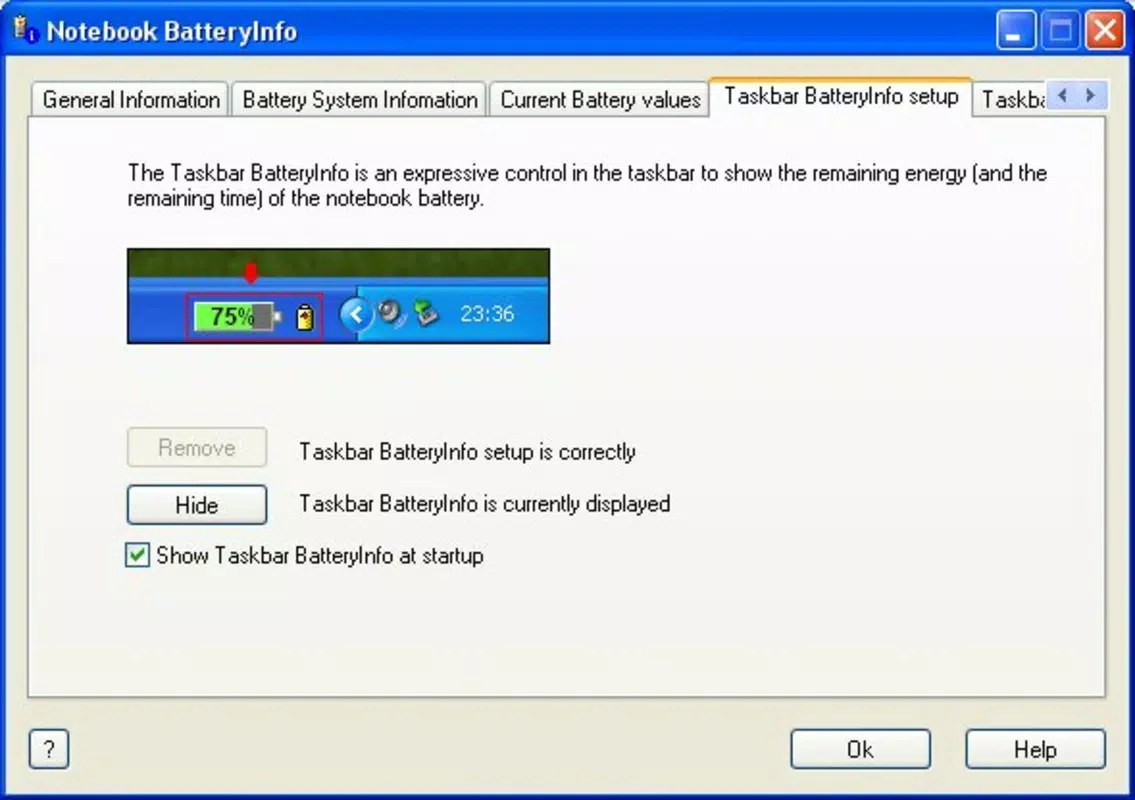
- User-Friendly Tabbed Interface: The layout organizes data across clearly labeled tabs, allowing quick access to specific metrics. This intuitive design ensures that users of all experience levels can navigate and interpret the information efficiently.
- Enhanced Visualization: Unlike standard system indicators, Notebook BatteryInfo presents battery status through a clearer, more accurate graphical display. This visual improvement allows for instant assessment of charge levels at a glance.
- Lightweight Design: At just 1.0 MB, the application uses minimal system resources, ensuring it runs smoothly in the background without affecting notebook performance or battery drain.
For example, a student preparing for an exam can use real-time tracking to estimate how long their notebook will last during a study session. A remote worker can monitor temperature and capacity trends to identify if their battery is degrading and plan for replacement. These practical applications demonstrate the tool’s value in everyday digital workflows.
Interface, UX & Performance
Notebook BatteryInfo features a clean, tab-based interface that prioritizes clarity and accessibility. The visual layout is minimalistic, with clearly labeled sections and a logical flow between data categories. Navigation is straightforward, allowing users to switch between battery details, health metrics, and real-time status without confusion.
Although the developer did not list formal performance metrics, the app’s lightweight footprint suggests efficient operation across a range of notebook configurations. It is designed to run in the background with minimal impact on CPU or memory usage, ensuring consistent performance even on older or low-spec devices. The responsiveness of the interface remains smooth, with updates appearing instantly as battery conditions change.
Stability is a notable strength, particularly given the app’s long-standing presence since 2006. While no crash reports or reliability statistics were provided, its continued availability indicates a dependable experience. Users can expect consistent data updates and stable operation during extended use, making it a reliable companion for daily battery monitoring.
Platform Compatibility & Technical Requirements
Notebook BatteryInfo is available exclusively for the Windows platform. The app supports Windows operating systems, though specific version requirements were not listed. The application size is 1.0 MB, making it easy to download and install even on devices with limited storage.
The developer did not specify minimum OS requirements or compatibility details beyond the platform. As such, users should ensure their system meets general Windows compatibility standards for legacy applications. Given the app’s release date in 2006, it may function best on older Windows versions, though it may still operate on modern systems through compatibility modes.
Pros and Cons
Pros
- Lightweight design with minimal system resource usage
- Clear, tabbed interface for easy navigation and data access
- Real-time battery tracking for proactive power management
- Comprehensive battery diagnostics including temperature and capacity
- Free to download and use, with no in-app purchases or ads
Cons
- Platform limited to Windows; no support for macOS or mobile devices
- Outdated release date raises questions about long-term maintenance
- Developer did not provide detailed technical specifications or update history
- Interface design reflects older software aesthetics, which may feel dated
- No cloud sync or cross-device data sharing capabilities
FAQ
Is Notebook BatteryInfo safe to download and install?
Yes, the app is free and designed to monitor battery status without invasive permissions. As a lightweight utility, it does not collect personal data or introduce security risks when downloaded from trusted sources.
Can I use Notebook BatteryInfo on modern Windows systems?
While the app was released in 2006, it may still run on current Windows versions through compatibility settings. However, no official compatibility guarantees were provided by the developer.
Does Notebook BatteryInfo require an internet connection?
No, the application operates offline. All battery monitoring and diagnostics are performed locally using system-level data.
Are there any updates or new versions planned?
The developer did not provide information about future updates or version releases. The current version is 1.0, and no update history was disclosed.
Is Notebook BatteryInfo available for Android or iOS?
No, the app is exclusively designed for Windows and is not available on mobile platforms such as Android or iOS.
Final Thoughts
Notebook BatteryInfo remains a practical, no-frills tool for users who need accurate, real-time insight into their laptop’s battery health. Despite its age, its lightweight design and focused functionality make it a valuable asset for anyone managing their notebook’s power efficiency. The app excels in simplicity, delivering essential diagnostics without complexity or overhead.
While its interface may feel outdated and platform restrictions limit accessibility, its core purpose—enhancing battery awareness—remains highly relevant. For professionals, students, and remote workers who depend on uninterrupted notebook use, Notebook BatteryInfo offers a reliable, free solution to a persistent challenge.
Download Notebook BatteryInfo now


